
666C Deposit and Withdraw | Complete Payment Guide 2026
The 666C Deposit and Withdraw process is an important part of using the platform. Before making any transaction, users should understand how to add funds, check payment details, submit a request, and monitor the transaction status.
This guide explains the deposit and withdrawal process in simple English. It also covers common payment issues, transaction checks, and basic security tips so users can handle their account transactions more carefully.
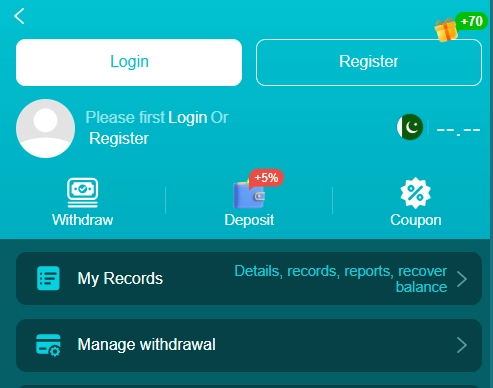
666C Game Deposit and Withdraw at a Glance
| Payment Detail | Information |
|---|---|
| Deposit Method | Easypaisa, Jazzcash, Crypto |
| Withdrawal Method | Easypaisa, Jazzcash, Bank transfer, Crypto |
| Account Required | Yes |
| Internet Connection | Required |
| Payment Details | Should match your account information |
| Transaction Status | Check from your account/payment section |
Payment methods and transaction rules can change, so always check the current information displayed inside the official 666C platform before submitting a payment request.
How to Deposit in 666C
Adding funds usually starts from the payment or wallet section of your account. The exact options may differ depending on the current platform setup.
Open Your 666C Account
First, log in to your 666C account using your registered details.
After logging in, look for an option such as Deposit, Recharge, Wallet, or Add Funds.
Tap the relevant option to view the currently available payment methods.
Select a Payment Method
Choose one of the payment methods shown on your account.
Depending on the current availability, the platform may display local payment options or other supported methods. Always use the payment details shown directly on the official payment page rather than relying on old information from another website.
Enter the Deposit Amount
Enter the amount you want to add to your account.
Before confirming, carefully check:
- Deposit amount
- Payment account or number
- Transaction instructions
- Any minimum or maximum limits shown
Do not send money to a payment account that is different from the one displayed by the platform.
Complete the Payment
Follow the payment instructions provided on the screen.
After completing the payment, keep your transaction reference, receipt, or confirmation details until the balance has been updated.
If the platform asks for transaction information, enter it exactly as requested.
How to Check a 666C APK Deposit
After making a payment, return to your account and check the wallet or transaction section.
A successful transaction may appear as completed, while a pending transaction may require additional processing time.
If your balance does not update immediately, avoid sending another payment before checking the transaction status. Duplicate payments can create unnecessary confusion.
How to Withdraw from 666C Game
The withdrawal process normally begins from the account’s withdrawal or wallet section.
Open the Withdrawal Section
Log in to your 666C account and select Withdraw, Cash Out, or the relevant payment option available on your account.
Review the current withdrawal instructions before entering your request.
Select the Available Method
Choose the withdrawal method displayed by the platform.
The available options can change over time, so do not rely on an old payment method listed on another website.
Use an account or payment detail that belongs to you and carefully check the information before submitting the request.
Enter the Withdrawal Amount
Enter the amount you want to withdraw.
Before confirming the request, check whether the platform displays any minimum withdrawal requirement, processing fee, or other condition.
If the requested amount does not meet the displayed requirements, the withdrawal may not be submitted successfully.
Confirm Your Withdrawal
Review the complete request before pressing the final confirmation button.
Check the amount and payment details carefully. Once everything is correct, submit the withdrawal request.
Keep the transaction reference or confirmation information for your records.
How Long Does a 666C Withdrawal Take?
Withdrawal processing time can depend on the payment method, account verification, platform processing, and other transaction conditions.
Because processing times can change, users should check the current information shown inside their 666C account instead of relying on a fixed time mentioned on an older page.
If a withdrawal remains pending for longer than the time stated by the platform, check the transaction status first and then contact the available support channel if necessary.
666C Deposit Problems and Solutions
Sometimes a deposit may not appear immediately. Before submitting another payment, check the following.
Payment Completed but Balance Is Not Updated
Keep your payment receipt or transaction reference and check the transaction status in your account.
If the payment was successful but the balance remains unchanged, contact the platform’s support team using the available official channel.
Deposit Failed
Check your internet connection, payment details, and the amount entered. If the payment method is temporarily unavailable, wait and check whether another supported option is displayed.
Wrong Payment Details
Always verify the payment information before sending funds. If you send money to an incorrect account, recovery may not be possible through the platform.
666C Withdrawal Problems and Solutions
Withdrawal requests can also face issues for several reasons.
Withdrawal Request Rejected
Check whether your account has completed any required verification and whether the amount meets the current withdrawal conditions.
Also confirm that the payment details are correct.
Withdrawal Still Pending
A pending status does not necessarily mean that the request has failed. Check the transaction details and wait according to the processing information provided by the platform.
If it exceeds the stated processing period, contact official support.
Payment Information Does Not Match
Make sure the withdrawal details you provide are accurate and belong to you. Incorrect information can delay or prevent successful processing.
Important Checks Before Any Transaction
Before making a deposit or withdrawal, take a few seconds to review the transaction.
Check the amount: Make sure you entered the intended amount.
Check payment details: Confirm the account or number before sending funds.
Check limits: Review any minimum or maximum amount shown on the current payment page.
Check transaction status: Do not repeat a payment while the first transaction is still pending.
Keep proof: Save receipts and transaction references until the payment is completed.
These simple checks can help reduce avoidable payment problems.
Keep Your 666 C Payments Secure
Payment security should always be taken seriously.
Never share your account password, PIN, OTP, or verification code with another person. Official support should not require you to publicly post sensitive payment information.
Also avoid clicking payment links sent through unknown messages or social media accounts. Open the official 666C platform yourself and check the payment section there.
If someone asks you to send money to a personal account outside the payment instructions displayed by the platform, verify the request before taking any action.
Does 666C Support Easypaisa or JazzCash?
Payment options can change depending on the current platform configuration and user account. If Easypaisa, JazzCash, bank transfer, or another method is available, it should appear in the payment section of your 666C account.
Do not assume that an older article or screenshot represents the current payment options. Always check the live payment page before making a transaction.
666C Deposit and Withdraw Tips
For a smoother payment experience, keep these points in mind:
- Check the payment method before sending money.
- Enter the correct amount.
- Verify payment details twice.
- Keep transaction receipts.
- Do not make duplicate deposits while one is pending.
- Use your own payment details where required.
- Never share OTPs or account passwords.
- Check current transaction limits and conditions.
- Contact official support when a transaction remains unresolved.
Final Thoughts
The 666C Deposit and Withdraw process is easier to manage when every transaction is checked before confirmation. For deposits, select the available payment method, enter the correct amount, complete the payment, and keep your transaction proof.
For withdrawals, check the available method, review the current requirements, enter accurate payment details, and monitor the request after submission.
Payment methods, limits, processing times, and account requirements can change. Therefore, the information displayed inside the current 666C platform should always be treated as the final reference.